
Workflow Management in BetterCommerce
Overview
Workflow Management in the BetterCommerce Content Management System (CMS) provides a structured framework for guiding content through defined stages before publication. By establishing clear workflows, the system ensures editorial control, quality assurance, and alignment with organizational standards, fostering consistency and accountability in content production.
Key Features
The workflow system offers the following capabilities:
- Customizable Workflows: Create tailored workflows with multiple statuses (e.g., Draft, Review, Approved, Published) to reflect the content lifecycle.
- Role-Based Permissions: Assign specific roles to each stage, restricting access and actions to authorized users.
- Configurable Transitions: Define valid status transitions to enforce a logical and controlled progression through the workflow.
Creating a Workflow
To create or modify a workflow, follow these steps:
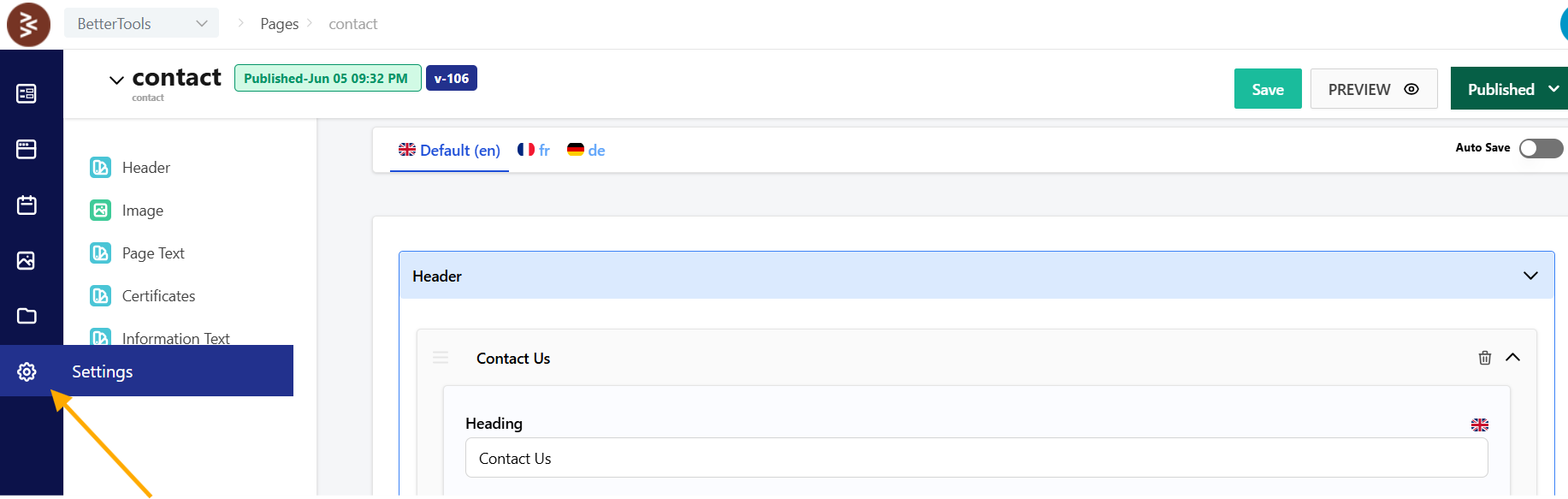
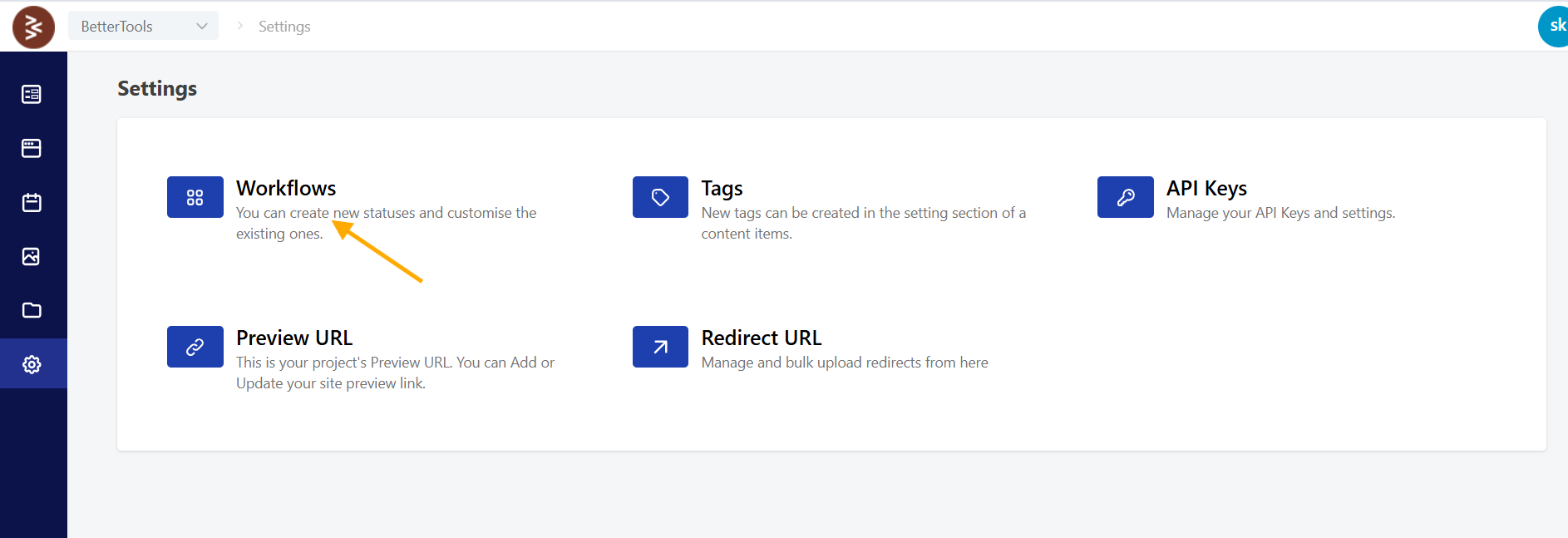
- Access Workflow Settings:
- Log in to the BetterCommerce admin dashboard.
- Navigate to Settings > Workflow in the CMS interface.
- Initiate Workflow Creation:
- Click Create New to start configuring a new workflow, or select an existing workflow to edit.

- Click Create New to start configuring a new workflow, or select an existing workflow to edit.
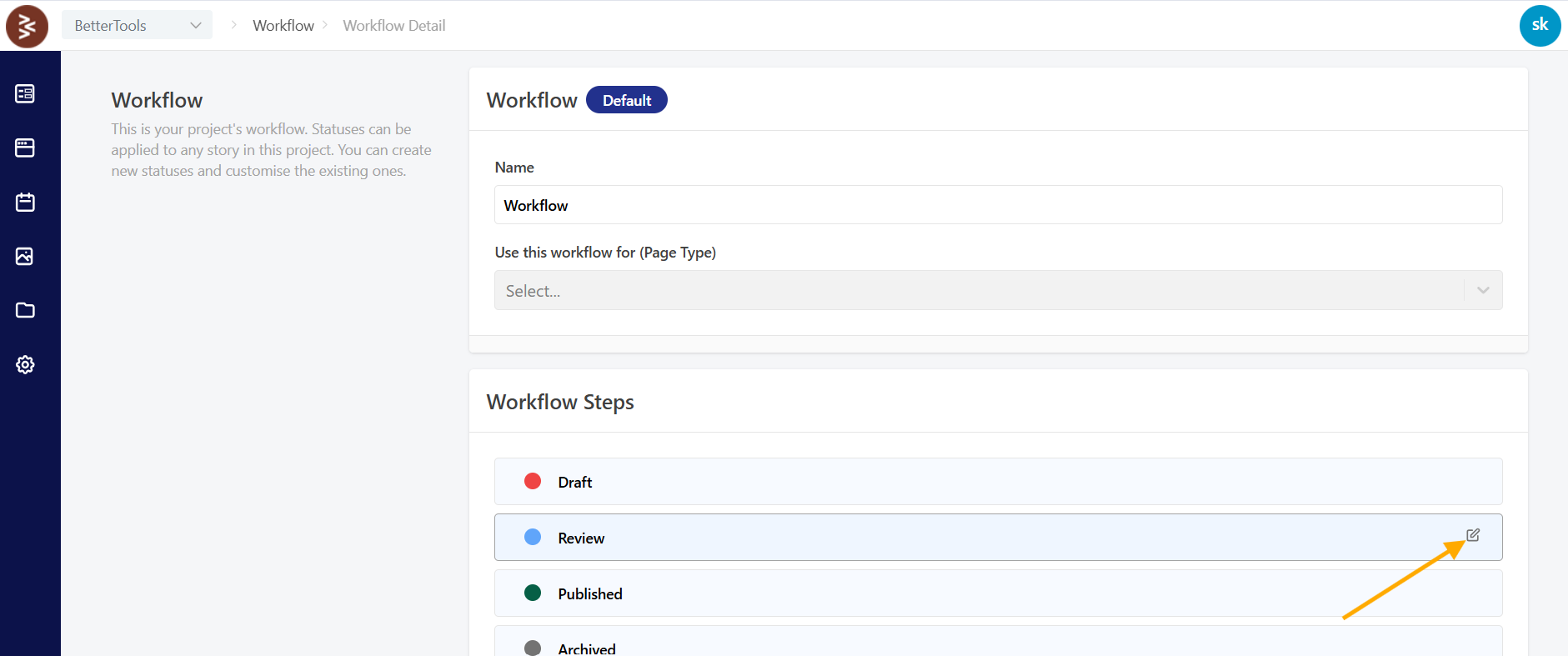
- Configure Statuses:
- For each status in the workflow, define the following:
- Name and Description: Assign a clear name (e.g., "Draft") and a detailed description to clarify the status’s purpose.
- Display Color: Select a unique color for visual identification within the CMS interface.
- Transition Rules: Specify valid transitions to other statuses (e.g., Draft → Review → Approved) to ensure a logical flow.
- Role-Based Permissions: Define which user roles (e.g., Editor, Manager) can access or modify content at this stage.
- For each status in the workflow, define the following:
- Save the Workflow:
- Review the configuration for accuracy and click Save to activate the workflow for use in content management processes.
- Review the configuration for accuracy and click Save to activate the workflow for use in content management processes.
Benefits
The Workflow Management system ensures that content undergoes rigorous review and approval processes, enhancing quality, transparency, and accountability. By defining clear stages, roles, and transitions, workflows streamline collaboration and maintain high standards across all published content, supporting enterprise-level content management objectives.