
Content Types
Overview
Content Types are reusable models designed for managing recurring content blocks, such as FAQs, policies, or author profiles. They enable centralized content management, ensuring consistency and simplifying updates across the platform.
Creating a Content Type
To create a new Content Type, follow these steps:
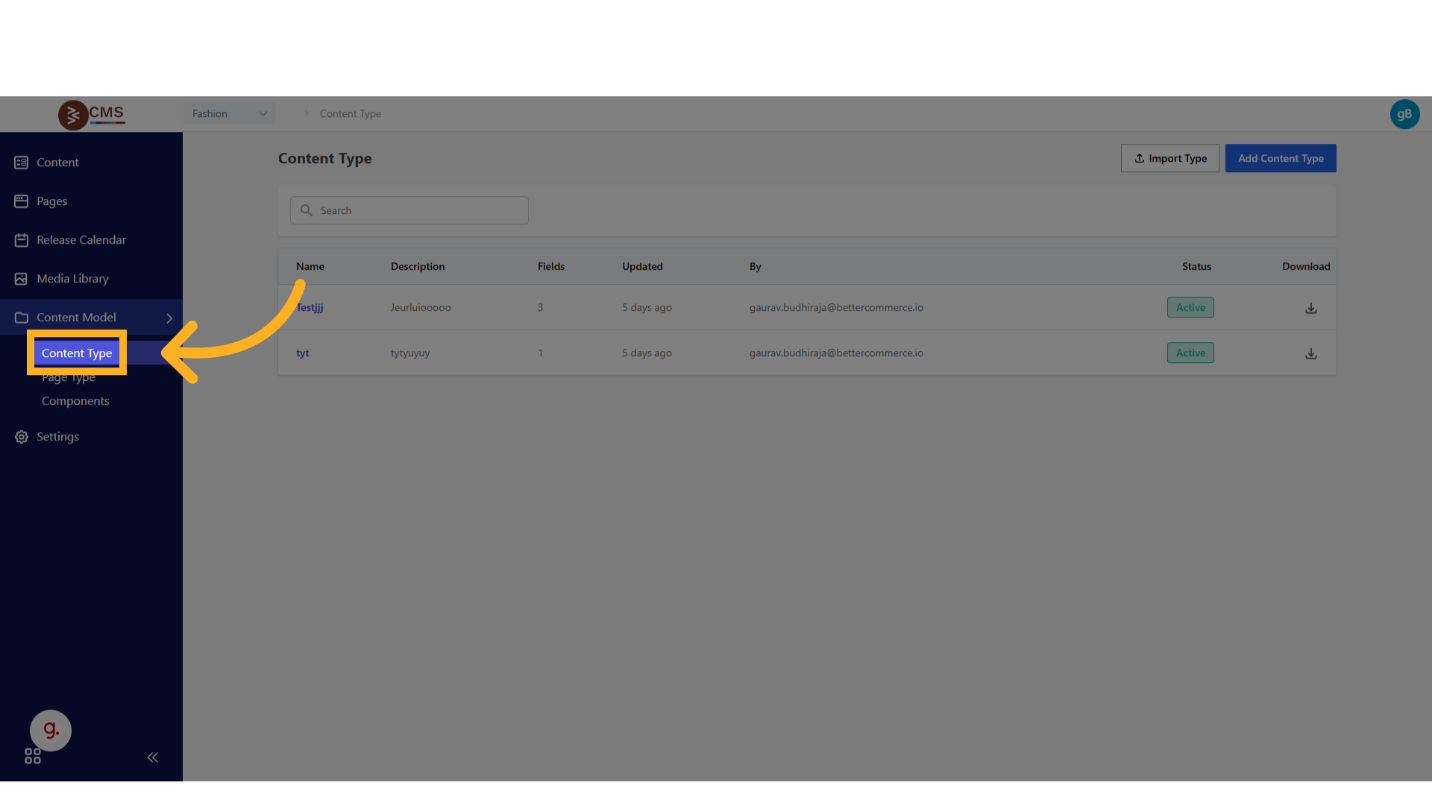
- Access the Content Model: From the dashboard, navigate to Content Model > Content Types.
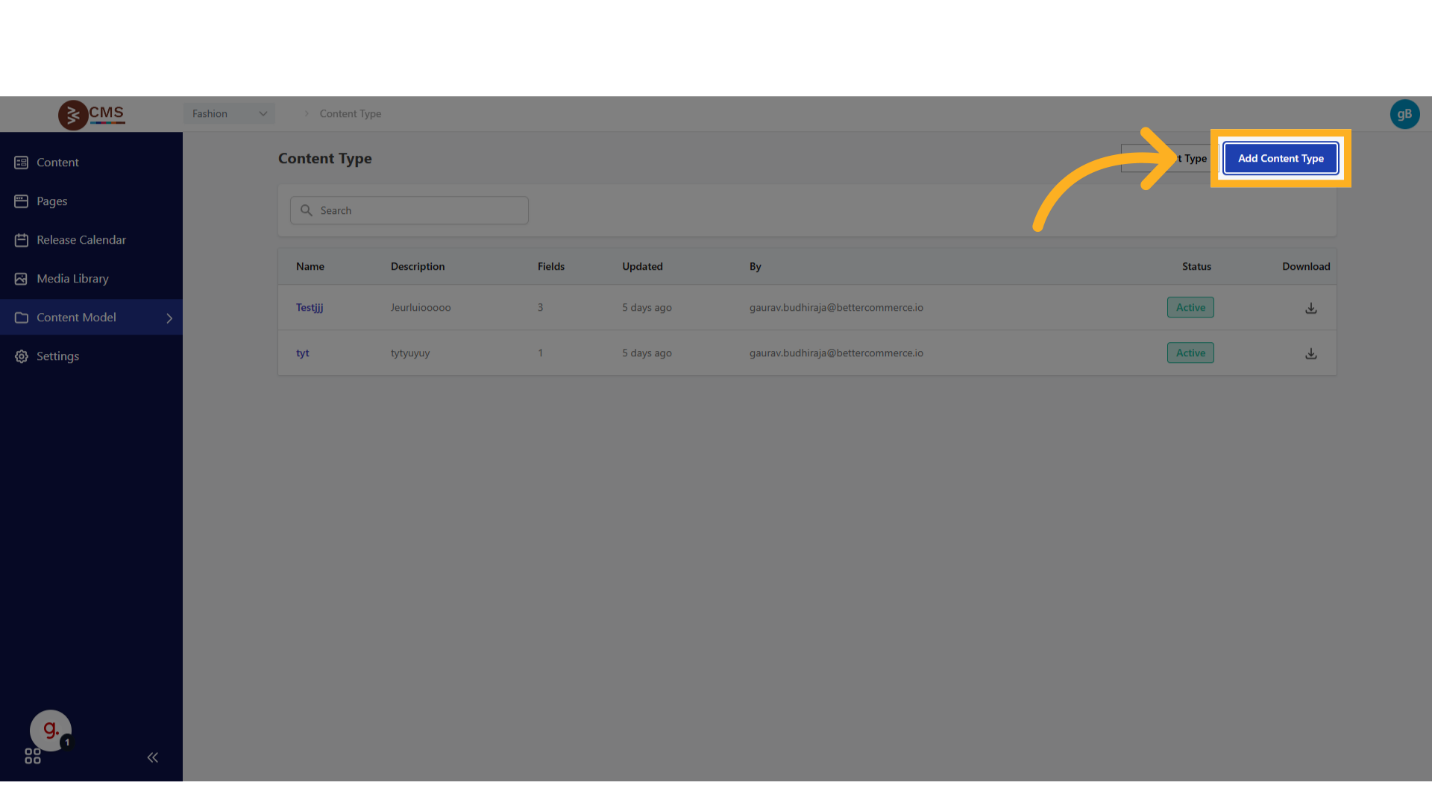
- Initiate Creation: Select the Add Content Type button.
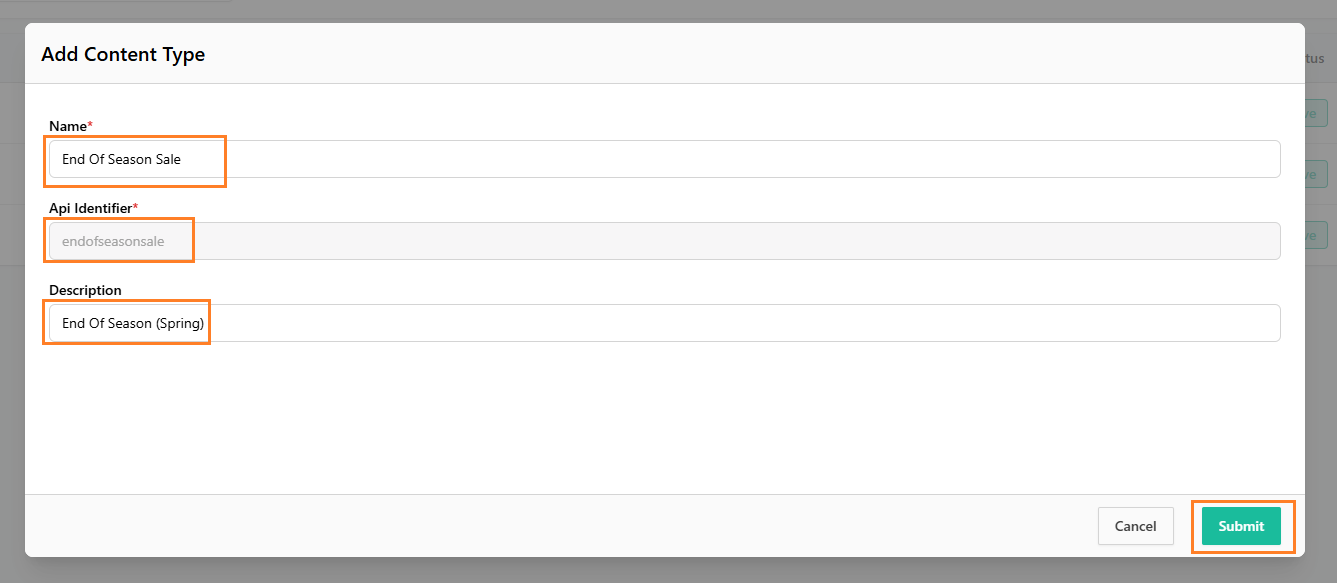
- Define Metadata:
- Name: Provide a unique, descriptive name for the Content Type.
- Api Identifier: This field automatically populates based on the Content name.
- Description: Include a brief description to clarify the Content Type’s purpose and scope.
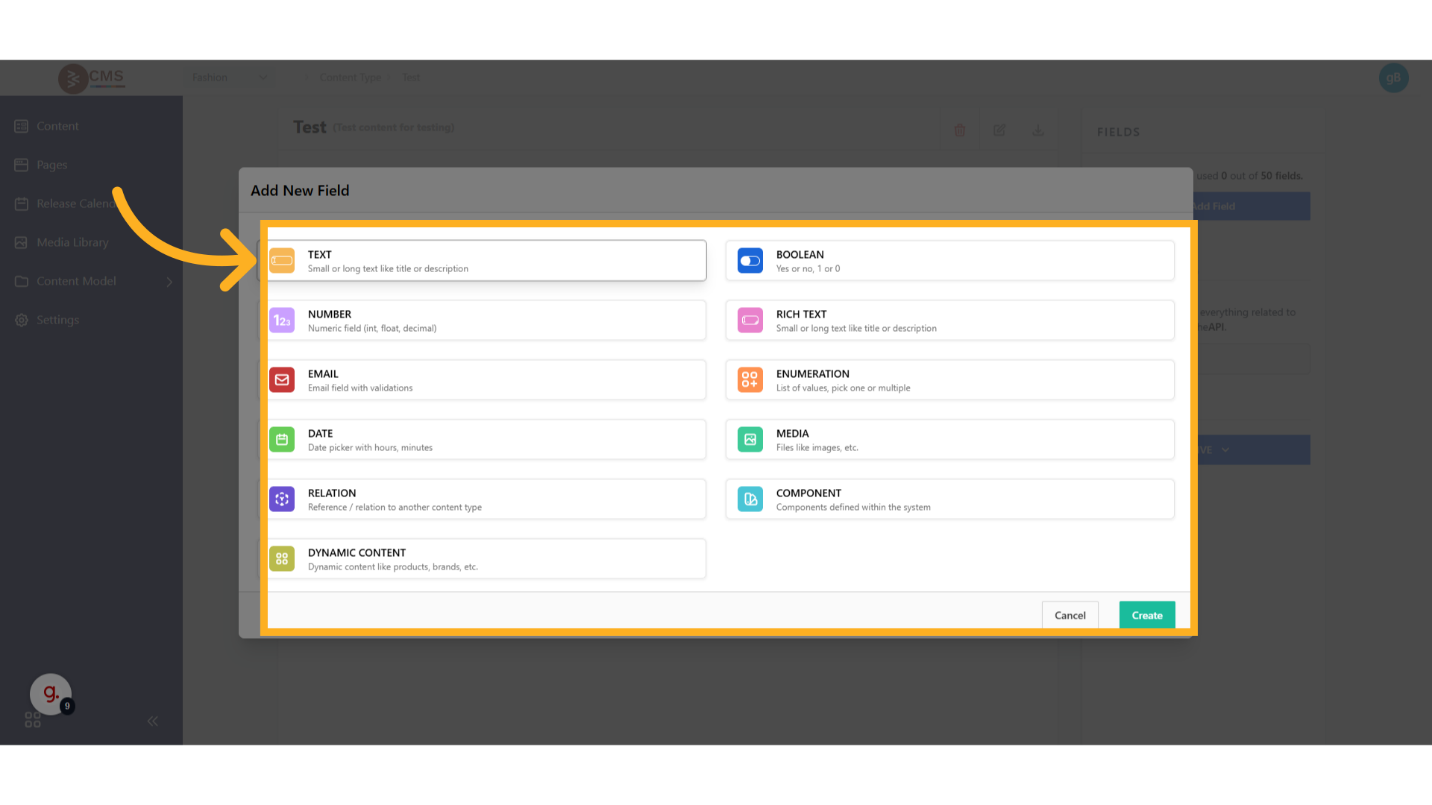
- Configure Fields: Define the fields using supported input types, including:
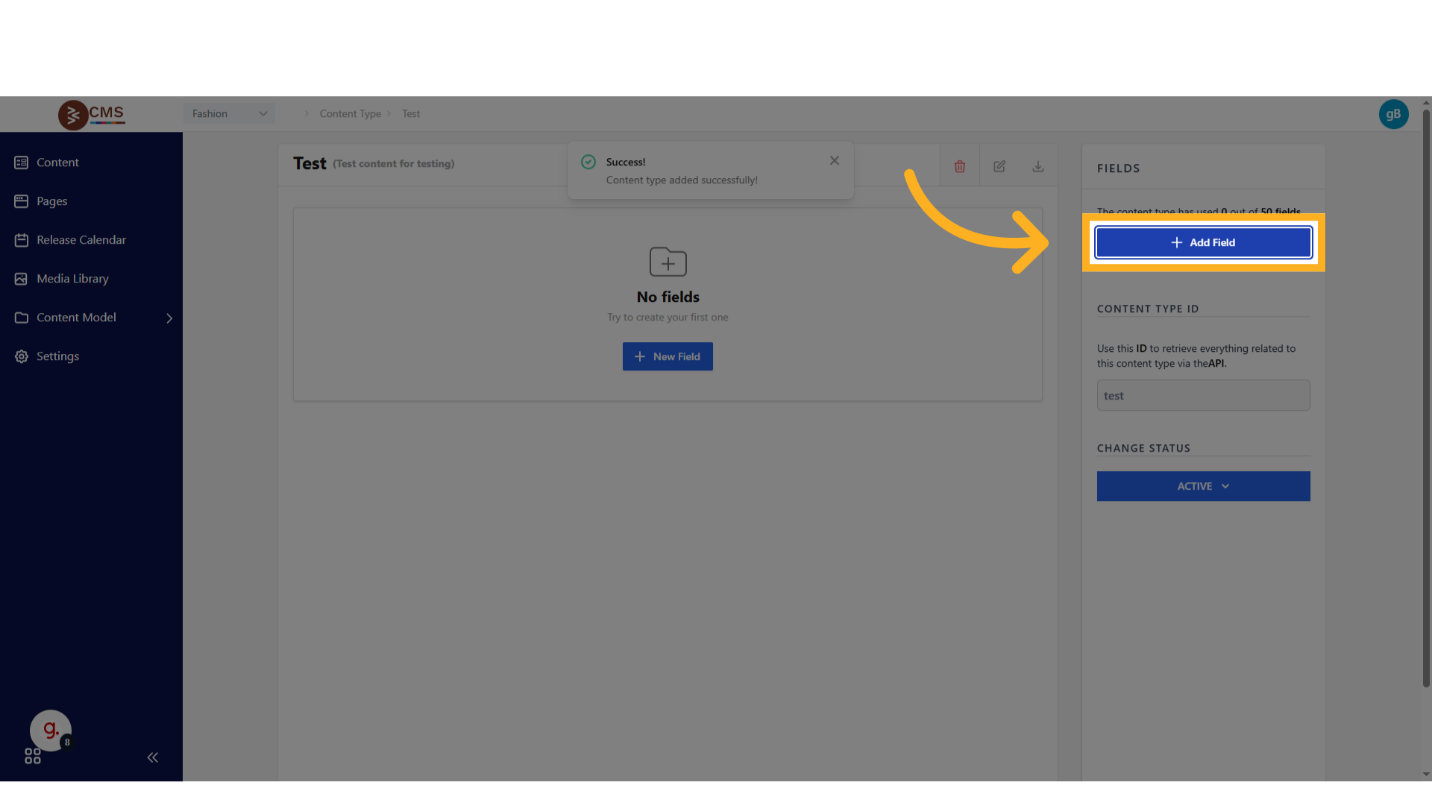
- Static Fields: Text, Rich Text, Boolean, Date
- Media Fields: URLs for images, videos, or other media assets
- Dynamic Fields: Product listings, categories, or other dynamic content
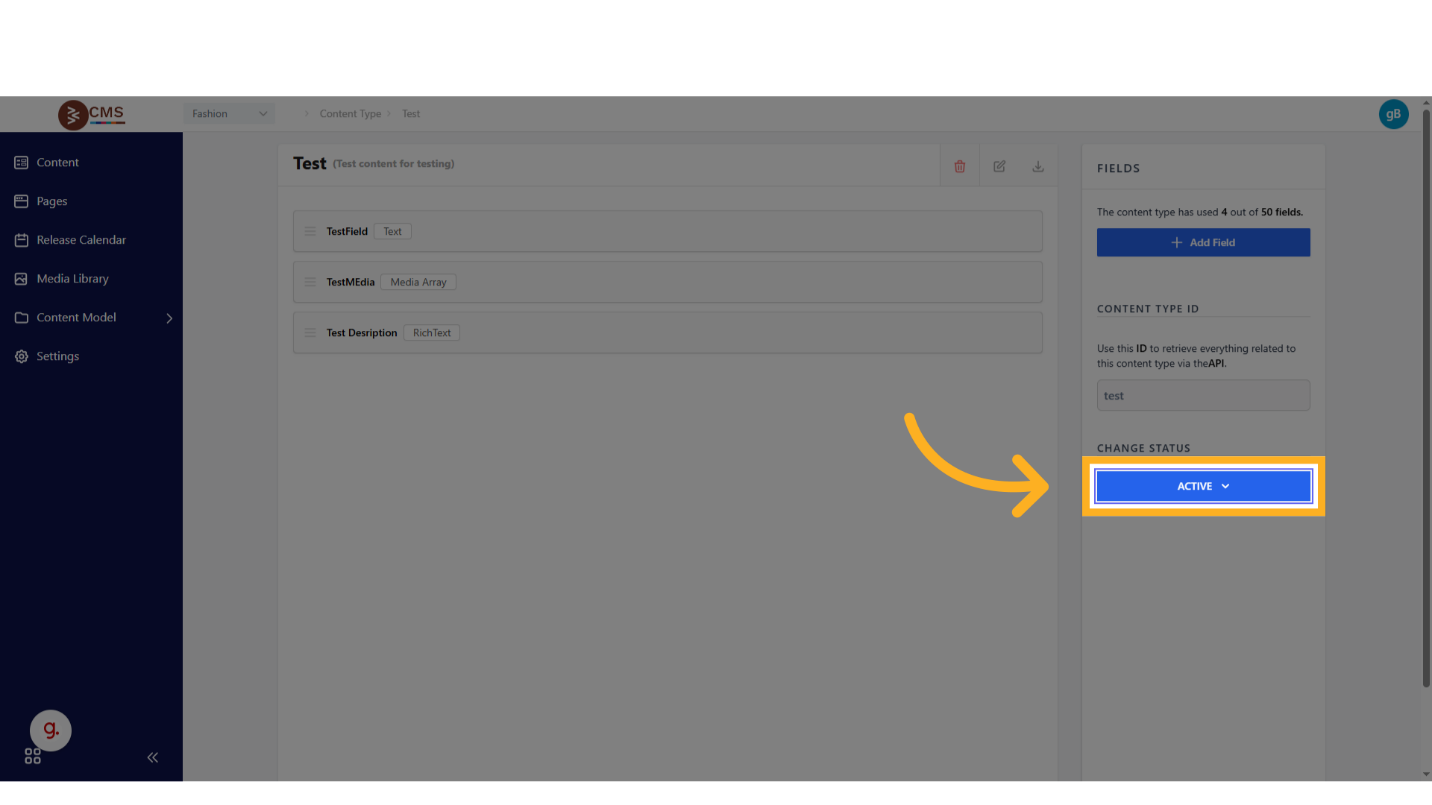
- Activate the Content Type: Save the configuration and set the Status to Active to make the Content Type available for use.
Using a Content Type
To utilize a Content Type in content creation and page management, follow these steps:
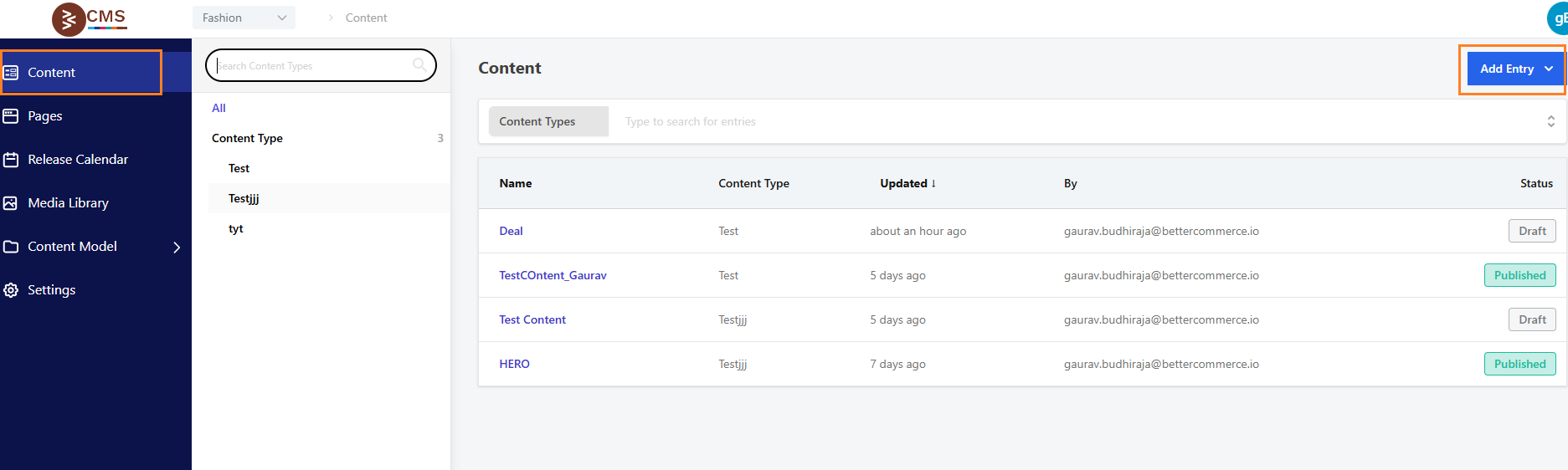
- Access the Content Tab: Navigate to the Content tab in the dashboard and select the desired Content Type.
- Create a Content Entry: Click Add Entry, input the relevant content into the defined fields, and save the entry.
- Integrate with Pages: When editing a page, select Add Content, choose the appropriate Content Type, and pick the relevant content entry from the available options.
Benefits
This approach minimizes content duplication, enhances maintainability, and streamlines updates by centralizing the management of recurring content blocks, ensuring consistency across the platform’s content ecosystem.