
Editing Page Content
Overview
The Better Commerce CMS provides a user-friendly interface for managing and editing page content. This guide will walk you through the basic steps of editing page content.
Accessing Pages
- Navigate to the Pages section from the left sidebar menu
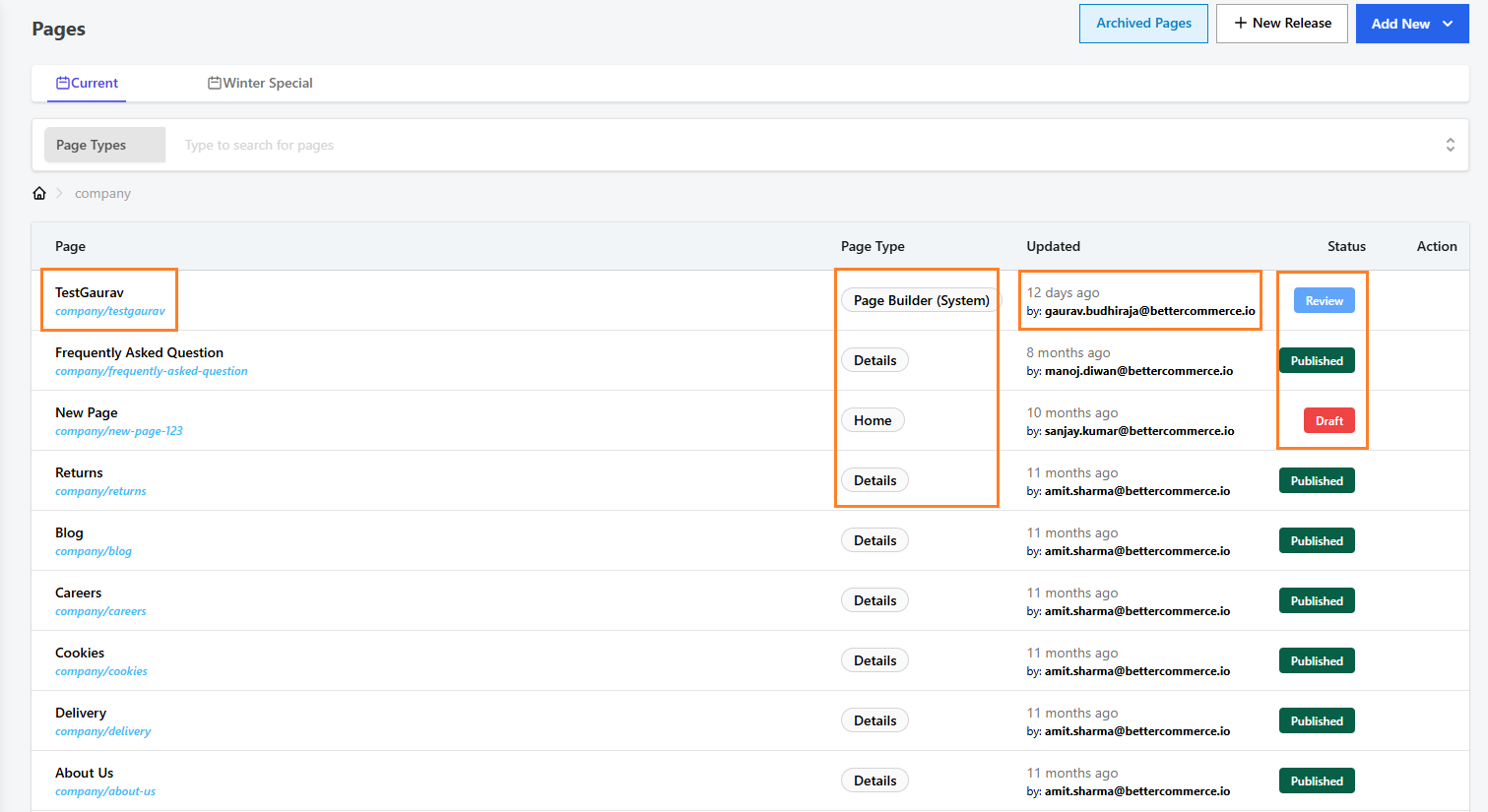
- You'll see a list of all pages with their respective details including:
- Page name and URL
- Page Type
- Last Updated timestamp
- Status (Draft/Review/Published/Archived)
- Action options
Page Types and Organization
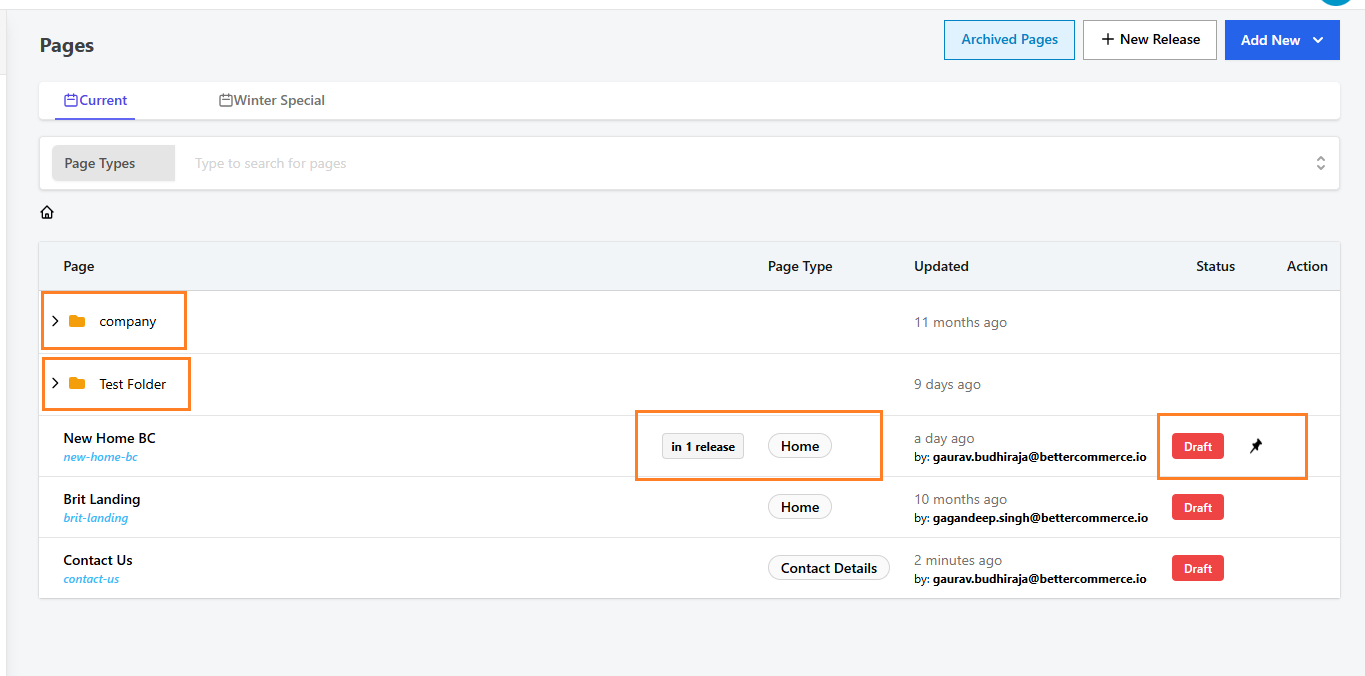
- Pages are organized in folders (e.g., Offers, Company) based on your data.
- Common page types include:
- Home
- Contact Details
- Custom pages
Editing a Page
- Locate your desired page in the list
- Click page and it automatically opens in editing mode.
- Pages have different statuses (e.g., Draft,Review) indicating their current state.
- Each page is associated with a specific release version
Important Features
- Page Filtering: Use the search bar at the top to filter pages by type
- Version Control: Pages show which release they belong to (e.g., "in 1 release")
- Change Tracking: Each edit is logged with timestamp and editor information
- Page Status: Monitor page status (Draft/Published) for content workflow
Best Practices
- Always review the page type before editing
- Check which release the page belongs to
- Note the last update timestamp and editor information
- Use the appropriate page template for your content type