
Page Types
Overview
A Page Type serves as a structured template that defines the schema and layout for pages within the content management system. It specifies the fields (e.g., text, media, product collections) and their arrangement, ensuring consistency and efficiency in content creation across the platform.
Creating a Page Type
To create a new Page Type, follow these steps:
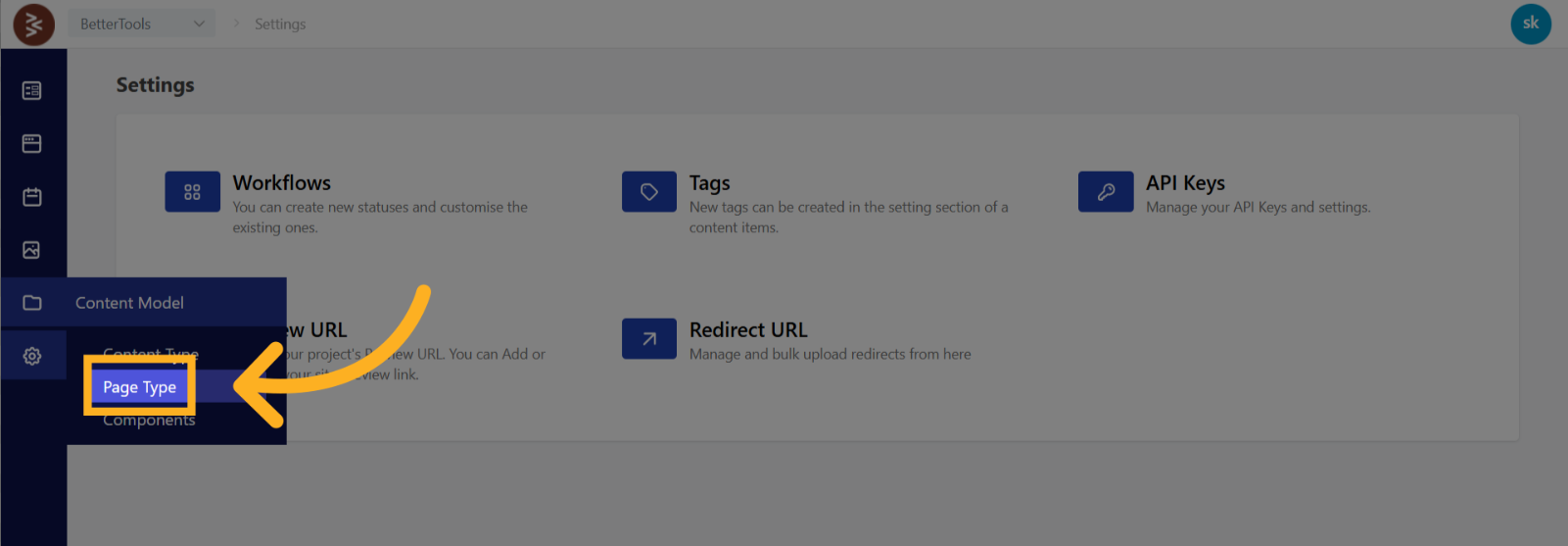
- Access the Content Model: From the dashboard, navigate to Content Model > Page Types.
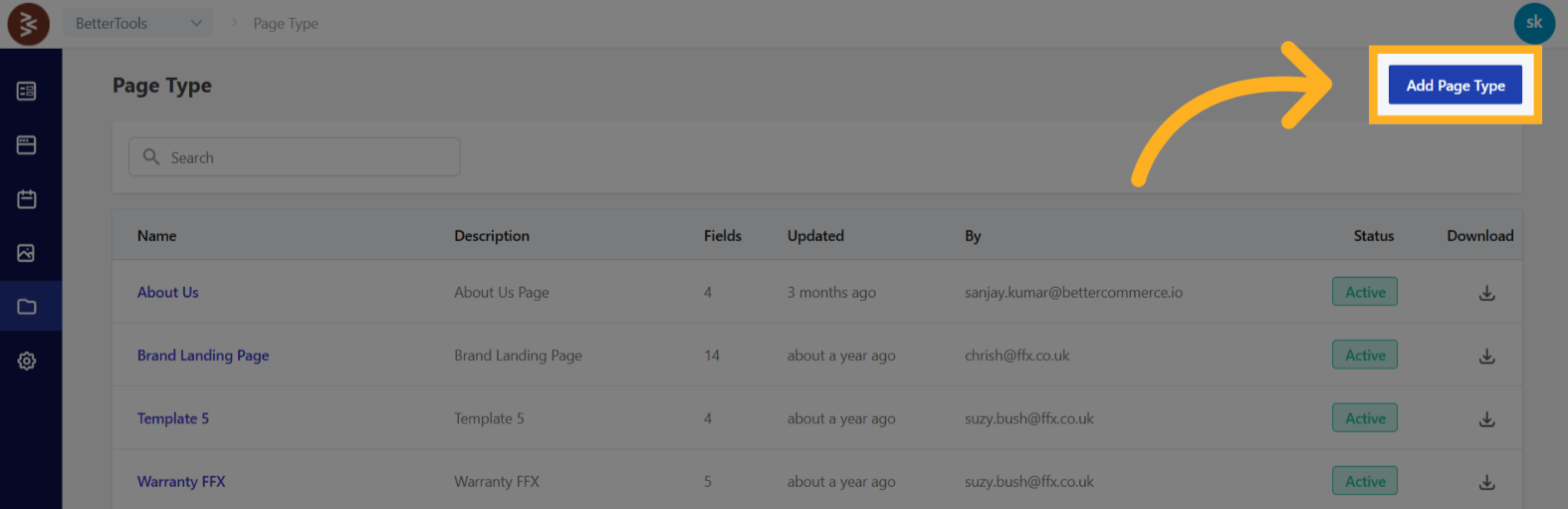
- Initiate Creation: Select the Add Page Type button.
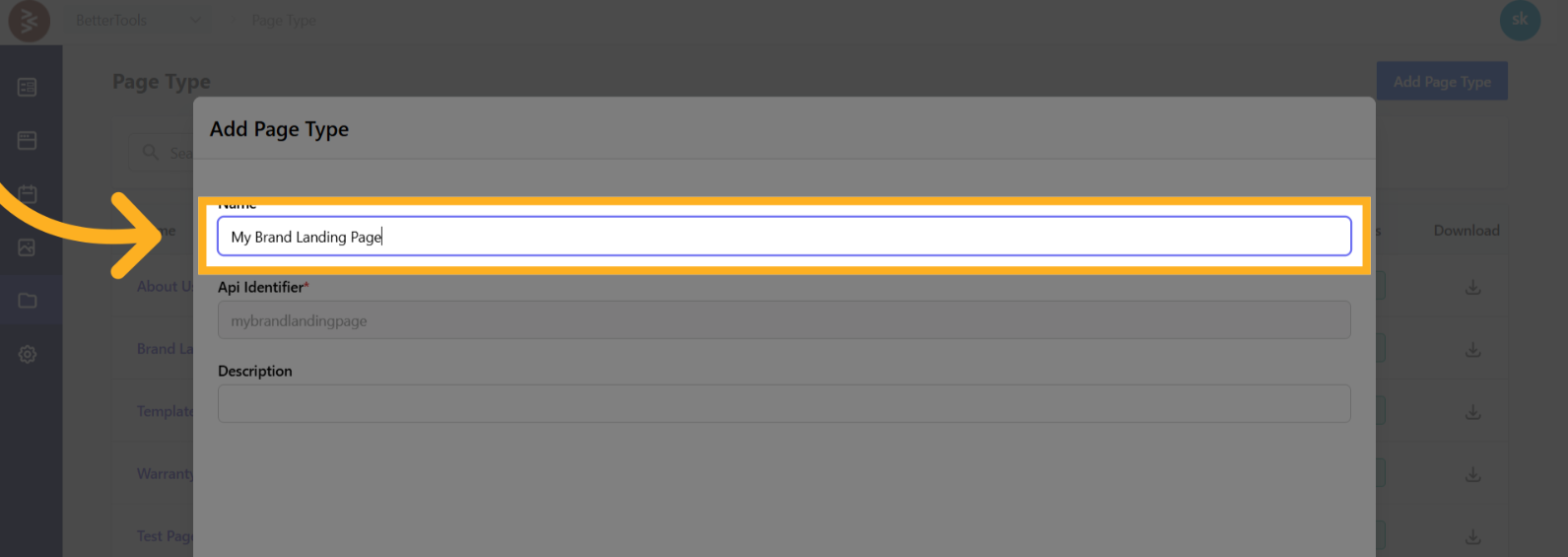
- Define Metadata:
- Name: Provide a unique, descriptive name for the Page Type.
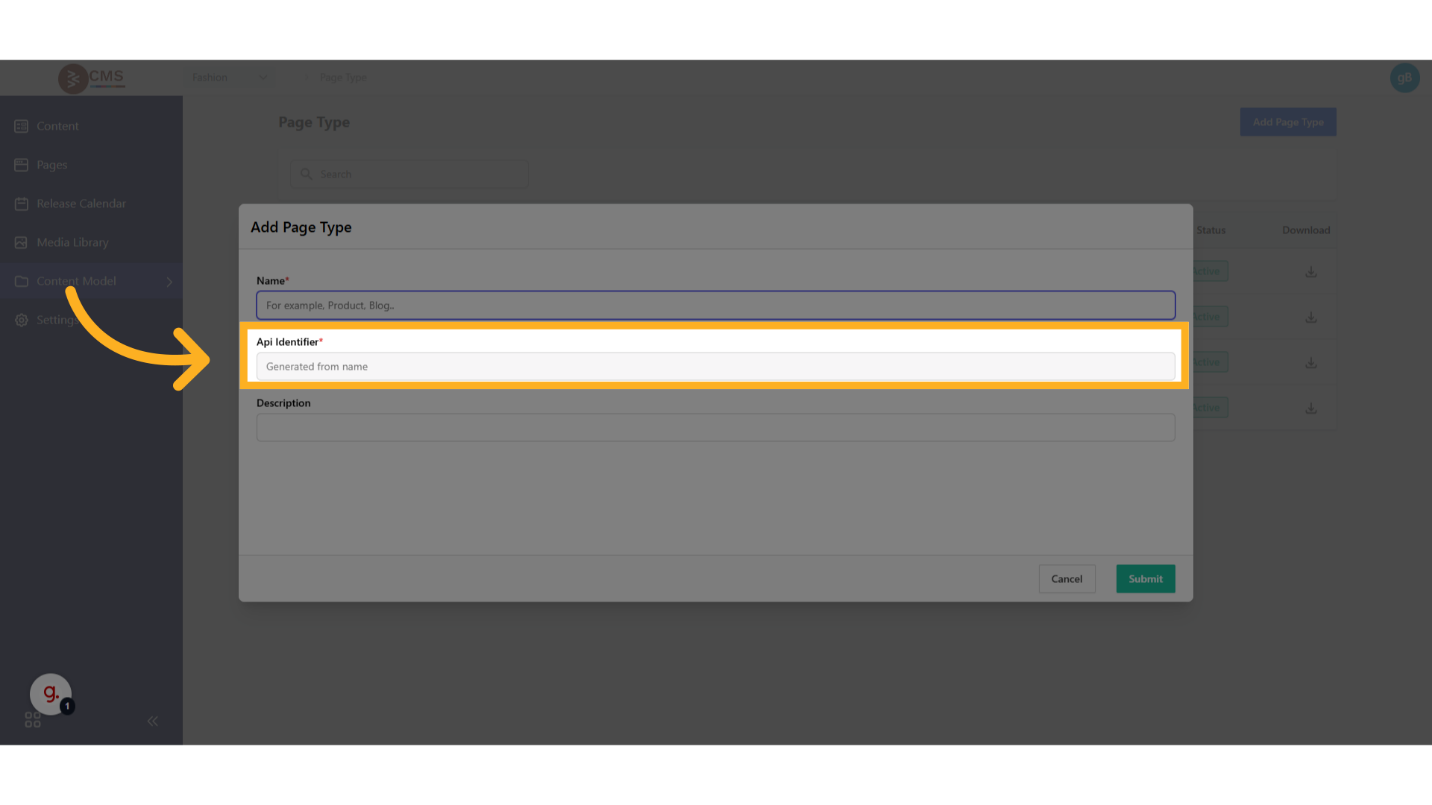
- Api identifier: This field automatically populates based on your Page Name.
- Description (optional): Add a brief description to clarify the Page Type’s purpose and use case.
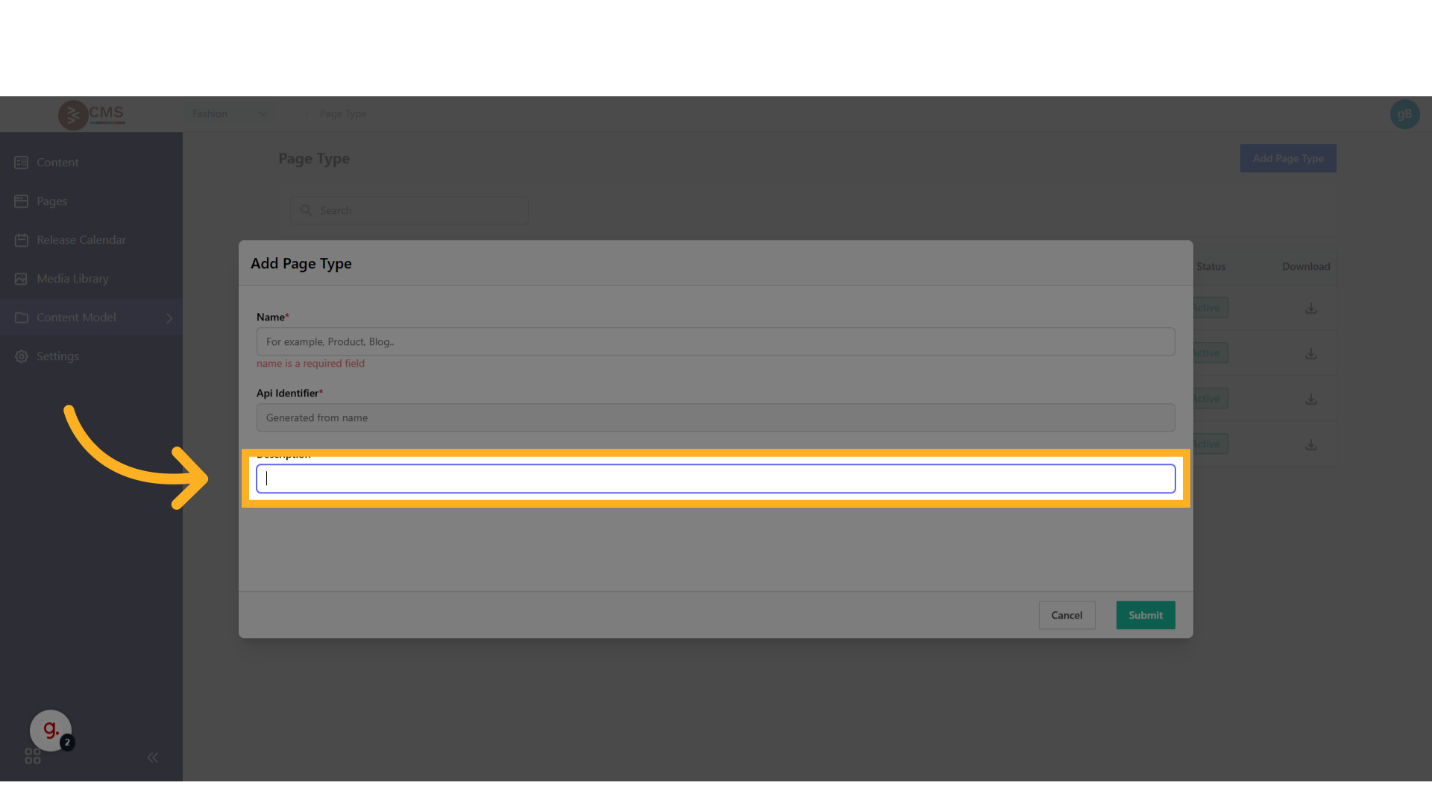
- Name: Provide a unique, descriptive name for the Page Type.
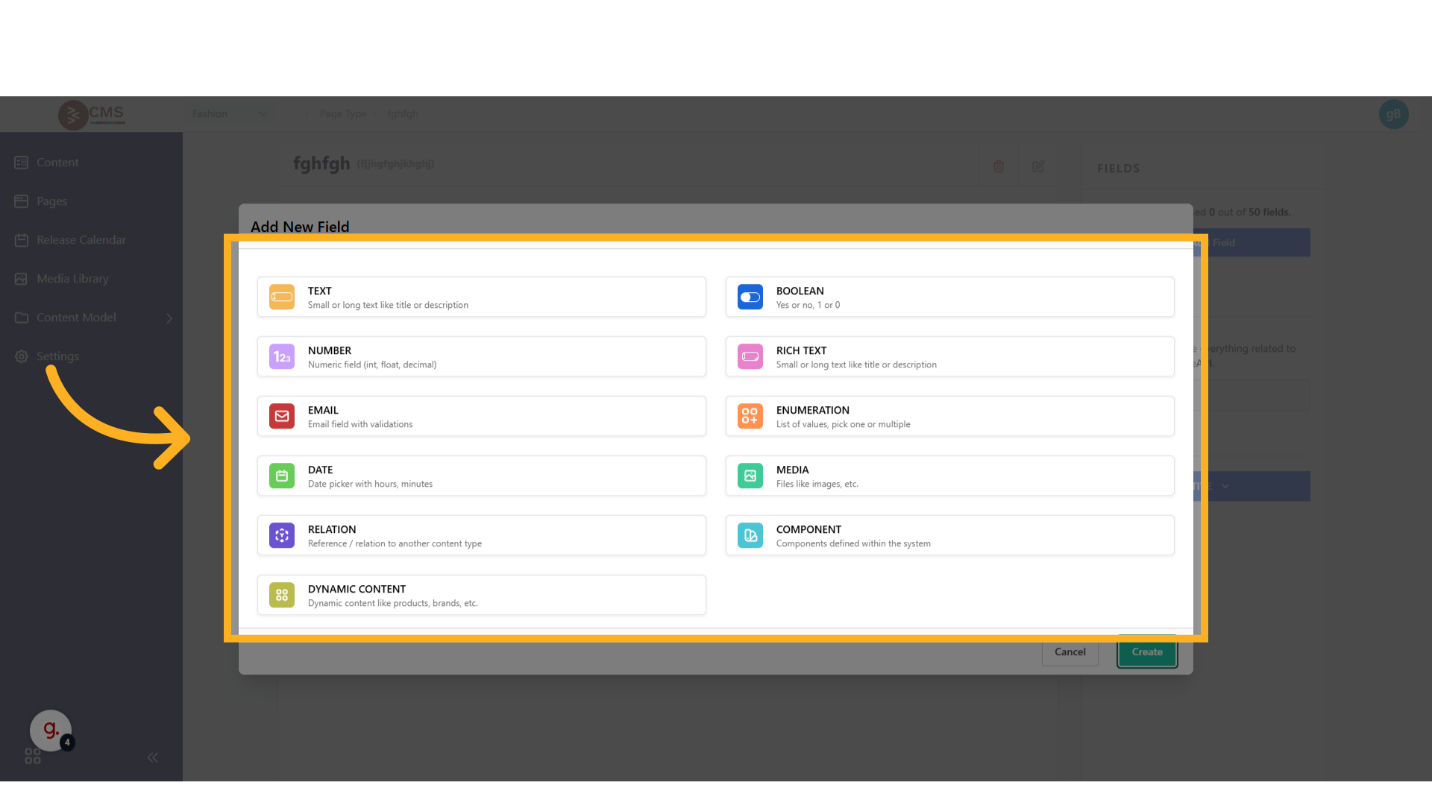
- Configure Fields: In the configuration panel, define the fields to be included in the Page Type. Supported field types include:
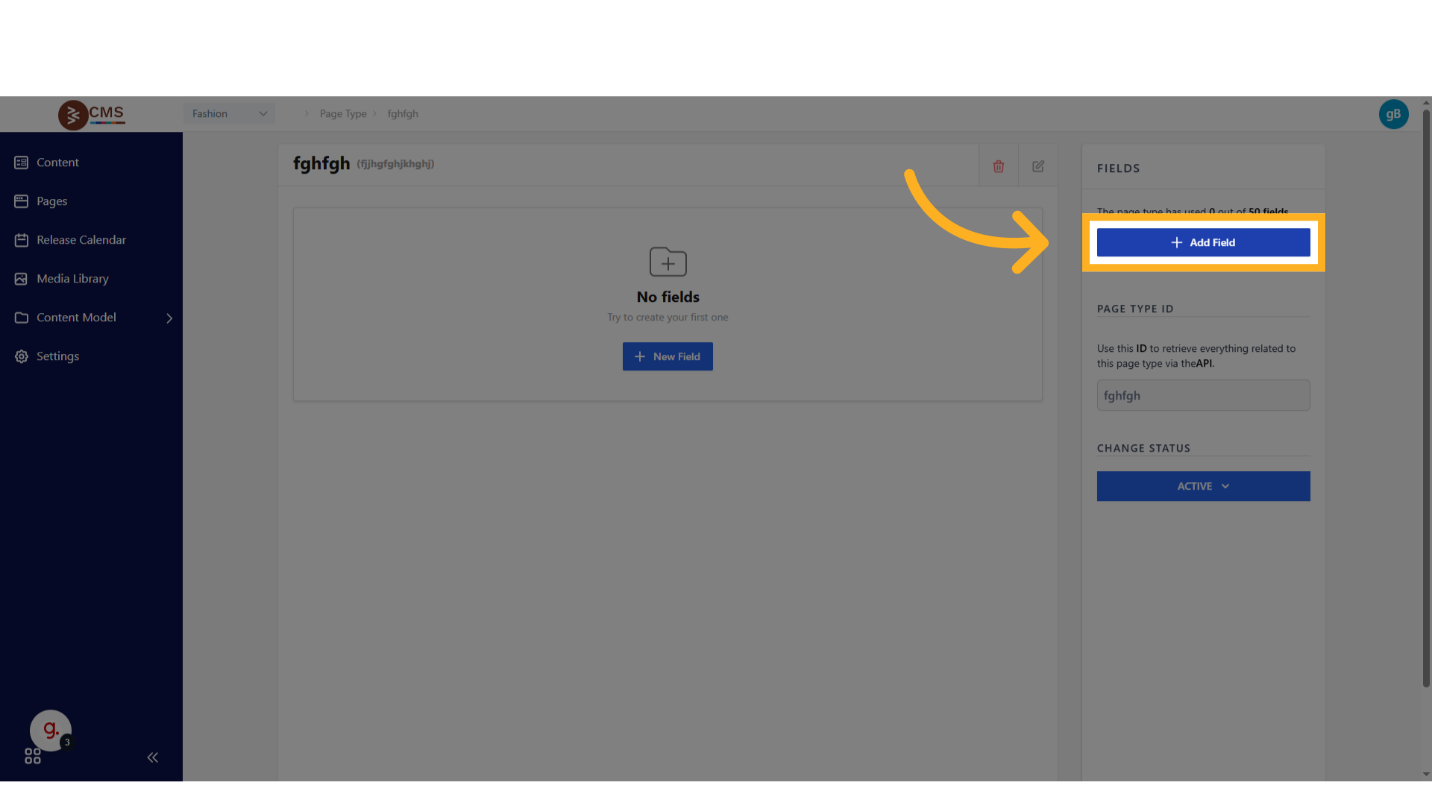
- Static Fields: Text, Rich Text, Boolean, Date
- Media Fields: URLs for images, videos, or other media assets
- Dynamic Fields: Product listings, categories, or other dynamic content
- Components: Reusable groups of fields for modular content structures
- Activate the Page Type: Set the Status to Active to make the Page Type available for use in page creation workflows.

Usage
Once created, Page Types are available in the page creation interface via a dropdown menu. Selecting a Page Type ensures that all pages created from it adhere to its predefined structure and schema, promoting consistency and scalability across the platform’s content ecosystem.